
Download Zenen AI – Creative Voice‑Controlled Assistant for Writers, Marketers & Teams
Overview
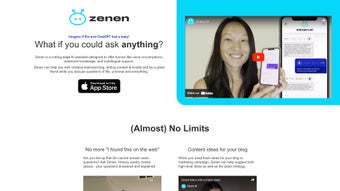
Zenen AI is a next‑generation voice‑controlled virtual assistant designed for creative professionals who thrive on rapid idea generation and collaborative brainstorming. Built on a large‑scale language model, Zenen AI listens, understands, and replies in a conversational, human‑like tone, allowing users to dictate story outlines, marketing taglines, or strategic plans without ever touching a keyboard. Its knowledge base spans storytelling techniques, brand strategy, SEO best practices, and general‑purpose facts, making it a versatile companion for writers, copywriters, content marketers, and product teams.
One of the standout features is multilingual support; the assistant fluently switches between English, Spanish, French, German, Italian, Portuguese, Dutch, Russian, Japanese, Korean, Mandarin, and several emerging languages, which enables truly global collaboration. While the AI excels at sparking imagination and offering structured outlines, it is important to remember that factual accuracy is not guaranteed—critical data should always be verified through trusted sources. Privacy is baked into the platform: Zenen AI does not retain individual conversation logs; only anonymized interaction data is used to improve the underlying models, and users can opt‑out of data collection at any time.
In short, Zenen AI positions itself as a dynamic, engaging partner that blends creativity with conversational AI, aiming to boost productivity, inspire fresh ideas, and streamline the early stages of content creation across a broad spectrum of users.
Key Features, Pros & Cons
- Voice‑First Interaction: Hands‑free operation using natural language, ideal for writers who prefer to dictate ideas.
- Creative Brainstorming Engine: Generates plot twists, character arcs, taglines, and campaign concepts on the spot.
- Multilingual Support: Communicates fluently in more than 10 languages, enabling cross‑cultural collaboration.
- Strategic Planning Assistant: Helps outline marketing funnels, content calendars, and SEO strategies.
- Contextual Memory (Session‑Based): Remembers the flow of a conversation within a single session to maintain coherence.
- Custom Prompt Templates: Save and reuse prompts for recurring tasks such as blog outlines or product descriptions.
- Secure & Private Design: No personal conversation logs are stored; data is anonymized for model training only.
- Cross‑Platform Availability: Accessible on Windows, macOS, Android, iOS, and Linux through a lightweight client or web interface.
- Regular Updates: Frequent knowledge‑base refreshes and feature enhancements ensure the assistant stays current.
- Integration Ready: Simple APIs allow connection with popular productivity tools like Notion, Trello, Google Docs, and Microsoft Teams.
Pros
- Hands‑free, voice‑first workflow accelerates idea generation.
- Extensive multilingual capabilities support global teams.
- Rich feature set tailored for writers, marketers, and strategists.
- Privacy‑first architecture with no personal conversation logs stored.
- Cross‑platform availability ensures seamless transition between devices.
- Customizable prompt templates save time on repetitive tasks.
- Regular updates keep the knowledge base fresh and secure.
Cons
- Factual accuracy is not guaranteed; verification is required for critical data.
- Voice recognition can struggle in noisy environments without a quality headset.
- Advanced features (API integration, premium templates) may require a paid subscription.
- Limited offline functionality; an internet connection is needed for most queries.
- Learning curve for users unfamiliar with voice‑controlled interfaces.
Installation & Usage Instructions
Getting started with Zenen AI is intentionally straightforward. The process begins on the official website where a single Download Zenen AI button automatically detects your operating system and serves the appropriate installer. For Windows users, a standard .exe file guides you through a typical setup wizard, prompting you to accept the license agreement, choose an installation directory, and optionally create a desktop shortcut. macOS users receive a signed .dmg package that can be dragged into the Applications folder. Android and iOS devices can install Zenen AI directly from Google Play Store or Apple App Store; the mobile version mirrors the desktop experience with voice activation and a compact UI optimized for touch. Linux enthusiasts can download a .tar.gz archive or use the Snap store; a simple command‑line script handles dependency resolution and service registration.
Zenen AI runs on a minimal set of system requirements: a modern 64‑bit processor, at least 4 GB of RAM, and an internet connection for cloud‑based language model queries. Supported platforms include Windows 10/11, macOS 10.15 (Catalina) and newer, Android 8.0+, iOS 13+, and popular Linux distributions such as Ubuntu 20.04 LTS and Fedora 34+. The built‑in voice engine leverages the device’s native microphone; however, for the best recognition accuracy, a high‑quality headset with noise‑cancelling capabilities is recommended.
Once installed, launch Zenen AI, grant microphone permissions, and you’re ready to speak your ideas. The first launch triggers a quick tutorial that introduces voice commands, how to switch languages, and how to save generated content to local files or cloud storage. The application offers a “Session History” panel where you can revisit previous interactions, export outlines to Word or PDF, and sync notes with third‑party services via the integration hub. Updates are delivered automatically in the background, ensuring you always have the latest security patches and feature enhancements. For power users, the Settings menu provides options to enable manual updates, configure API keys for custom integrations, and adjust privacy preferences, including a global opt‑out of anonymized data collection.
Frequently Asked Questions
Is Zenen AI completely free to use?
Zenen AI offers a robust free tier that includes unlimited voice sessions, basic prompt templates, and core multilingual support. Premium features such as API access, advanced analytics, and premium content libraries are available through a subscription plan.
Can Zenen AI work offline?
The core language model resides in the cloud, so an active internet connection is required for most interactions. A limited offline mode is available for previously saved prompts, but new queries will need connectivity.
How does Zenen AI handle user privacy?
Zenen AI does not store any individual conversation logs. Interaction data is anonymized and aggregated solely for improving the AI model. Users can also opt‑out of data collection in the privacy settings.
What languages are supported?
Zenen AI currently supports English, Spanish, French, German, Italian, Portuguese, Dutch, Russian, Japanese, Korean, and Mandarin. Additional languages are being added in upcoming updates.
Is there a way to integrate Zenen AI with my existing workflow tools?
Yes. Zenen AI provides RESTful APIs and pre‑built connectors for popular platforms like Notion, Trello, Google Docs, and Microsoft Teams. Integration guides are available in the Help Center.
Conclusion & Call‑to‑Action
Zenen AI stands out as a powerful, voice‑driven companion for anyone whose work thrives on creativity and rapid idea iteration. Its blend of conversational fluency, multilingual support, and specialized brainstorming tools makes it a valuable addition to a writer’s toolkit, a marketer’s arsenal, or any collaborative team seeking a fresh perspective. While it should not be relied upon as a sole source of factual truth, its ability to spark concepts, outline structures, and keep the creative flow uninterrupted is unmatched among free AI assistants. The privacy‑first architecture further reassures users that their thoughts stay private while still benefiting from continuous model improvement.
If you’re ready to transform the way you generate content, simply download Zenen AI today. Experience hands‑free brainstorming, multilingual dialogue, and seamless integration with the tools you already love. Start your free trial, explore the premium features when you’re ready, and let Zenen AI become the creative partner you’ve been waiting for.
Pros: Voice‑first workflow, multilingual support, robust free tier.
Cons: Needs internet, occasional factual inaccuracies.






